Web conferencing tool for e-learning
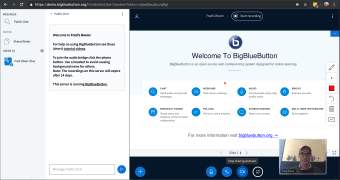
BigBlueButton is an open-source web conferencing system tool developed by a community of software developers. This education and reference program is specially designed for online learning, allowing you to engage better in your class whether as a teacher or student. It's a feature-packed program that is capable of providing an effective solution to teach and engage with students remotely in online learning webinars. The entirety of this program is free both for personal and commercial use.
Rich in features but hard-to-setup
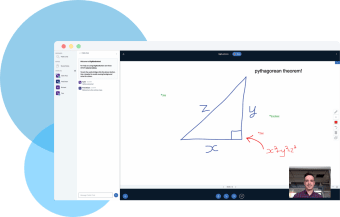
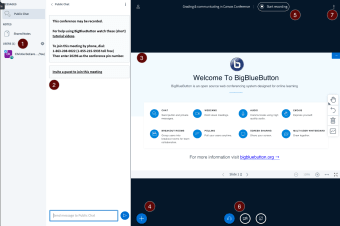
BigBlueButton is packed with essential tools that will greatly help teachers to conduct their lessons in the best possible way. It allows professors to share their audio, slideshow, chat, video, and desktop with students. Teachers can also record their current lectures and make them available for students to review after class. Moreover, professors can utilize the whiteboard tool for real-time and automatic display of annotations.
Teachers presenting will have the ability to zoom, highlight, draw and write on presentations to make their points even clearer to their remote students. The number of webcams that could be shared in every session is endless. The only thing that could limit it is bandwidth. On the other hand, students can easily participate in class using built-in emoji icons, polling, and breakout rooms this web conferencing tool offers.
This open-source program got its title from the simplicity of its installation. In reality, it requires a lot of effort and technical knowledge to set it up. First, you must have a Linux Ubuntu with a 64-bit server while domain name and a valid SSL certificate are also recommended to have. You will then have to run several commands or scripts available from GitHub. For students' convenience though, no installation is needed, just a functional web browser.
Enhanced online lectures
It is very evident that the BigBlueButton project has brought so many social benefits for the community especially in the field of education. With this tool, many remote students and teachers will now have a free online platform to conduct lectures and make it engaging for both parties. It is highly recommended although, presenters need to have some technical knowledge as the installation will require them to run commands or scripts.


.jpg)